Advanced production planning software

Plan Smarter. Produce Faster. Stay in Control.
Take command of your entire production workflow with production planning software built for USA manufacturers. From process-based BOMs to resource availability, WIP control, sub-orders, and simple shop-floor execution, our manufacturing production planning software ties everything together for faster, more reliable output.
Transform your production operations with smarter production management software.
Why manufacturers choose our production planning and scheduling module:
Why do production planning and scheduling matter?
Production planning and scheduling are important for running a successful manufacturing business because they directly influence product quality, delivery timelines and customer satisfaction.
Implementing advanced production planning software helps companies coordinate materials, equipment and workforce to meet their production goals. With a reliable production planning and scheduling module inside an ERP production planning system, businesses gain better control over schedules, capacity and resource utilization.
Integrating production management software within a reliable system also ensures smooth execution of manufacturing processes, reduces downtime and maximizes operational efficiency.
Key features of our advanced production planning module
Features of the module that complete the work cycle of the production module:
Process-based BOMs
We support highly detailed process-based BOMs that include every production step, bought-out items, additional costing, expected material to be produced, and expected scrap quantities.
Quality checks
You can define process-wise quality checks and set minimum batch quantities to maintain production accuracy and standards.
BOM Importing
You can import BOMs from other finished goods, as well as import process-wise material lists directly from Excel sheets.
Manufacturing Orders
You can create Manufacturing Orders based on Make-to-Stock, Sales Orders, or Production Plans, giving full flexibility to your planning teams.
BOM Variants
Our system supports Variant BOMs, allowing you to manage multiple product attributes or configurations with ease.
Workstation availability and Worker availability
For every Manufacturing Order, you can check workstation availability and worker availability before confirming production.
Sub-Orders
If the BOM contains semi-finished goods, the system automatically allows you to generate Sub-Orders to manage dependent production.
Work-in-Progress (WIP) screen
We provide a dedicated Work-in-Progress (WIP) screen where you can monitor store issues, goods produced, pending QC, store returns, material job outward/inward, and even scrap alerts, all in one place.
Simple Controls
The system includes simple controls for your shop-floor team: Start Process, Stop Process, and Enter WIP Quantity, minimizing data entry and making it easy for production operators to use.
Comparison: Our Advanced Production Planning Software vs Traditional Systems
| Feature / Capability | Traditional Production Systems | Our Advanced Production Planning Module |
|---|---|---|
| Process-Based BOM | Basic or single-level | Extensive process-wise BOM with costing, scrap & bought-out items |
| BOM Importing | Manual entry | Import BOM & process-wise materials from Excel |
| Manufacturing Orders | Mostly manual or fixed logic | MTO, MTS, and Production Plan–based MO creation |
| Variant BOM Support | Limited | Full support for multi-attribute Variant BOMs |
| Workstation Availability | Rarely visible | Real-time workstation availability check |
| Worker Availability | Not included | Worker allocation & availability visibility |
| Sub-Order Creation | Mostly manual | Automatic sub-orders for semi-finished goods |
| Work-in-Progress Tracking | Fragmented screens | Unified WIP screen (issues, production, QC, returns, jobwork, scrap alerts) |
| Production Control | Complex shop-floor entries | Simple Start / Stop / WIP Qty entry for operators |
| Scrap Management | Minimal tracking | Expected vs actual scrap with alerts |
| Ease of Use | Outdated, complex UI | Modern, intuitive and operator-friendly |
What is a Bill of Material (BOM)?
Many manufacturing companies rely on a Bill of Material (BOM) to streamline their production processes. If you're wondering what Bill of Material is, it's essentially a comprehensive list that defines all the components, raw materials, and subassemblies required to build a finished product. The Bill of Material in ERP systems plays a critical role by outlining what to procure, where to source it from, and how to assemble each part accurately. It ensures efficient material planning and production execution.
The working chain of it is like:
"Raw material"- "Intermediate material" - "Finished product"



Advanced ERP Production Planning Module for Manufacturing Industry
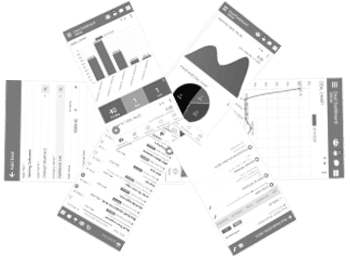
The production planning module of TheERPHub serves as the central component of your manufacturing process. Designed after a deep analysis of real-world industry needs, our robust and intelligent module helps manufacturers streamline every stage of production with precision and control.
This production module in ERP is seamlessly integrated with other core ERP functionalities, enabling centralized handling of production schedules, planning data, material movement, process tracking, and resource allocation. Users can efficiently manage manufacturing capacity, material consumption, by-products, and overheads by leveraging historical production data and forecasting insights. The objective is to maximize the potential of each resource.
Why Is It Important?
Maintaining product quality, cutting down on operational waste, and fulfilling delivery deadlines all depend on effective production planning and management. Materials, personnel, and equipment are all in line with your production goals thanks to TheERPHub's ERP module.
It not only prepares your business with a structured roadmap to reach production goals but also drives profitability and customer satisfaction. Proper planning reduces downtime, prevents shortages or overstocking, and ensures timely fulfillment—all of which are vital in today’s competitive manufacturing landscape.
Key Features of ERP Production Planning Module:
- Process Master
- WorkGroup and WorkStations
- Finish & Intermediate Material with Process-Based BOM
- Cost and Estimation
- Order Entry and Importing Process-Based BOM
- Production Planning Based On Order
- Material Requisition Planning
- Purchase Requisition Generation
- Generate Purchase Order
- Goods Receipt Note (GRN) & Quality Control (QC)
- Create Manufacturing Orders
- WIP Process-based Production
FAQs
- Uses process-based BOMs to define every production step with accuracy.
- Supports Manufacturing Orders for Make-to-Stock, Sales Orders or Production Plans.
- Provides real-time visibility through WIP tracking and workstation availability.
- Reads process-wise and variant BOMs to calculate material and routing needs.
- Checks workstation and worker availability before scheduling production.
- Auto-generates sub-orders for semi-finished goods to avoid delays.
- Detailed BOMs, variant BOM support and Excel-based import for quick setup.
- Dynamic Manufacturing Orders and process-wise quality checks for accuracy.
- A dedicated WIP screen plus simple Start, Stop and Enter WIP controls.
- Production planners who build and adjust schedules and orders.
- Shop-floor supervisors who rely on WIP screens and workstation checks.
- Quality, stores and operations teams managing QC, returns and material movement.
- Builds schedules based on BOM structures, resource loads and availability.
- Generates sub-orders automatically when semi-finished goods are required.
- Provides real-time WIP monitoring and simple shop-floor controls for on-time execution.
- Customize BOM rules, process steps, batch sizes and QC checkpoints.
- Set up Manufacturing Order types and WIP handling based on your operations.
- Import data from Excel and integrate with other ERP modules for a seamless setup.
