Finance Module
" A penny saved is a penny earned. "

The most important and time-consuming task in any organization is managing finances. Financial planning plays an important role in daily operations. TheERPHub Finance Module gives you the flexibility to work from both web and mobile, securely and from any location. A person without an accounting background can use the finance module easily thanks to its predefined ledger structure and settings, which can be modified at any time.
You can complete financial voucher entries on the spot using the mobile app or web platform, helping reduce the workload at the end of the month. Multiple users across different locations can manage voucher entries simultaneously, which reduces the load on the finance and accounts team and provides accurate real-time data. This makes it a practical finance module in ERP for businesses looking to improve visibility and efficiency with reliable financial management software.
ERP Financial Management Software Solutions
ERP Financial Management Software Module
This is the core module of the ERP system. It is a powerful solution for managing the financial part of the business. The Finance Module is integrated with other modules of TheERPHub like Sales, Purchase and AMC. The module also supports various voucher entries such as Payment, Receipt, Journal, Contra, Debit Note and Credit Note. This makes it a reliable option for companies looking for streamlined financial management software within their ERP.
Features of our Finance Module
These are a few highlighted features and there are many other fine-tuned options designed to match your organization’s structure.
Easy To Use
The Finance Management ERP Software makes managing financial operations simple, accurate, and efficient. From basic accounting to advanced functions like cost center and budget management, the system is designed for ease of use. Automated workflows, predefined settings, and real-time validations help reduce errors while supporting compliance. Businesses can track expenses, plan budgets, and make smarter financial decisions with confidence using this financial management software.
Predefined Settings
Predefined financial groups, subgroups, and ledgers like electricity, sales, wages, loans, taxes, and salary make the system easy to operate. Even a non-accounting person can post voucher entries without needing deep knowledge of ledger mapping. These predefined settings streamline the finance module and make daily tasks faster.
Payment Voucher Entry
Predefined settings for Payment Vouchers allow users to enter data easily. Payments can be made using On Account, Against Invoice, Advance, Against Debit Note, or Against Credit Note. Bill-to-bill clearance is also available. TDS values are automatically calculated and editable, ensuring the TDS ledger stays updated without extra effort. This helps maintain smooth operations within the finance module in ERP systems.
Receipt Voucher Entry
Predefined settings for Receipt Vouchers make data entry simple. Users can record receipts quickly and bill-to-bill clearance with partial receipt support is also available.
Contra/Journal Voucher Entry
The Contra Entry Voucher keeps a record of the amount withdrawn or deposited in the bank. Journal Voucher Entry is used to transfer amounts between ledgers, ensuring accurate internal accounting.
Debit Note/Credit Note
Debit Note and Credit Note vouchers are used for sales returns and purchase returns. The system automatically picks up data from sales or purchase invoices. These vouchers can affect both financial and inventory records based on predefined settings.
Financial Reports
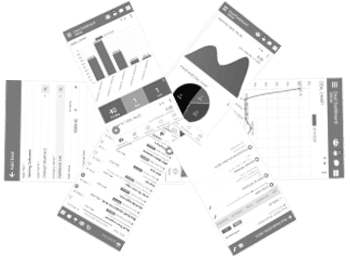
Financial reports are automatically generated in the system, including Financial Statements, Group Summary, Monthly Financial Summary, Ledger Reports, Trial Balance, Profit & Loss, and the Balance Sheet. Pending Receipt and Pending Payment reports with aging analysis help with follow-ups and timely payment collection. Comparison charts are also available based on date ranges such as weekly, monthly, quarterly, half-yearly, or yearly. These features make it a strong ERP financial management software choice.

Finance Management Mobile App


Customization
Customization for entries, reports, or new development is available as per your specific needs. The system’s flexible finance module allows custom-made adjustments without affecting your existing working style.
Add-on Modules
Integrated supportive modules that you can enable anytime to improve daily operations.
SMSs and Emails
Using predefined templates for each voucher, you can send SMS or email details as needed, including voucher prints. Automation rules can manage routine tasks for SMS, email and notifications, generating updates automatically whenever voucher records are saved. This improves communication and supports smoother workflows with your cloud-based erp software.
Follow Up
With Follow Up, the system can remind you automatically and help you track conversations with parties for payment, receipt, credit note and debit note. It ensures nothing is missed and keeps your follow-up cycle efficient.
Comment
This feature lets you store lifetime comments and attachments on any voucher entry. It also generates automatic notifications for the concerned users. This helps maintain better internal coordination and improves record tracking.
Best Finance Management ERP Software For Every Business
Look at Our Managing finances can be overwhelming and time-consuming. With our Finance Management software, you can streamline financial processes, saving you time and money. Our Finance Management software is designed to make financial management easy and efficient. Watch the video for more information. Get a free demo now.
Features of Finance Management Software:
- Advanced accounting & finance
- Cost center management
- Budget management
- Streamline financial processes
- Manage all financial transactions
- Track the status of your invoices
- Generate payment and receipt
- Register reports for all vouchers
- Range of other useful reports
" A penny saved is a penny earned. "
