ERP Order Management System
"If you have orders, you have the profit otherwise the business shuts"

One of the most important modules in any organization for creating a high-performance environment is the Order Management System (also known as OMS module). Traders, manufacturers and service industries use this module to track the progress of each order in a very simple and organized way. From notifying the merchant about the order, checking warehouse availability and reviewing the performance of the sales team, everything can be managed through the order management software. This makes the order management system solution a key part of smooth daily operations.
ERP Order Management System Solutions
ERP Order Management Software Module
There are three ways to create an order in the order management system, allowing you to work faster and more accurately.
Through Quotation
You can generate an order directly from a quotation. All details, including client information, material data and terms are auto-populated. This makes the process smooth and reduces manual work, especially when using advanced order management software.
Manually
In this method, you can visit the order page and create the order manually. This option gives full control over each entry and is supported well in our ERP order management system.
Repeated
In this method, you can create new orders from previous ones. This helps you save time and quickly manage repeated orders.
Hidden Gems
Other features of the module help complete the work cycle of the order management system.
Field Representative
There is a field representative system that shows which sales representative confirmed the order. With this help, incentives can be given based on their performance (targets achieved).
Sales Pricing
Material prices in the order can be taken from the Material Master or from the price policy of the last order. This keeps pricing consistent inside the ERP order management system.
Sales Invoice From Order
Sales orders are similar to sales invoices. They contain all the details required to generate the invoice directly from the order itself.
Due Date
The due date is a date fixed with the client for clearing the order. If the order is not cleared by that date, a notification is generated automatically. This helps track overdue orders efficiently.
Annexure Entries
Extra annexures, such as technical details or terms and conditions, can be added along with order printing. This improves clarity and documentation.
Order Cancellation
Both full and partial order cancellation options are available.
Reports in Graphical Formats
Pending orders, overdue orders and other material-wise reports can be viewed in graphical format. This makes it easier to analyze sales flow.
Commenting
Users can add comments on discussions related to the order through the integrated comment module. All comments are saved with timestamps for future reference.
Alters and Notification
A work automation setup allows users to create rules that trigger notifications, emails or SMS messages. These alerts can be sent to clients, employees or even third parties based on rule conditions.
Reports
Field (sales) representative-wise reports, such as monthly, quarterly or yearly order value reports; highest or lowest ordering material value and quantity-wise reports; and top or bottom sales representatives, are available in real time. These reports help with clear comparisons and better decision-making.

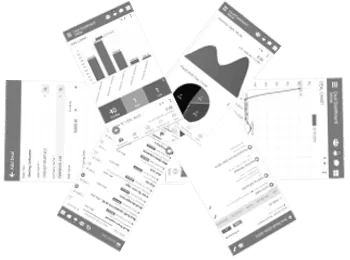
Order management system mobile app


Module-to-module integration
In case you have documents related to the order, you can manage them using the Document Management System (DMS). This works smoothly with your order management system, making document handling easier. A separate module known as the Order Job Management Module is also linked with the OMS to support long-term orders, such as orders running for one or two years. With this setup, stage-wise job management can be handled within a clear time frame, providing a more complete order management system solution.
Introduction of TheERPHub Order Management Software
One of the most demanding modules in any organization to create a high-performance environment is Order Management System(also known as OMS) module.
Traders, Manufactures or service industries use this module to track the progress of each order in a very easy way. So, from ensuring/notifying the merchant regarding the order to checking the warehouse for availability to checking the performance of the sales representative, all is done by Order Management System.
Order Management Software Includes
- Create Order
- Through Quotation You can generate an order from the quotation. All data including client detail, material detail, and Terms will be auto-populated based on Quotation
- Manually In this method, you can directly visit the order page and create the order manually.
- Repeated In this method, you can create orders from the old orders themselves so repeated orders can be made easily.
Best Sales Order Management Software in 2022 with Affordable Price
Get more control over your orders by centralizing the Sales Ordering, Delivery & Distribution process. Link your order with Procurement & Production department. Track order status.
A unique Module called "Order Job Management" allows users to design multiple stage orders passed by with timestamps, attachments and comments by users. Track the status of the order and turn around time easily. TheERPHub - Sales Order Management Software is a prominent sales automation tool which helps businesses to boost their sales.
TheERPHub Order Management & its features
- Sales Order
- Order based BOM
- Attach Annexures with productsAttach Annexures with products
- Attach Documents
- Add Comments
- Integrated Emails solutions
- Lock the products to assure the delivery on time
- Delivery & Distribution
- Order Job Management
- Create Purchase Order based on Sales Order
- Spend Against Sales Order
" If you have orders, you have the profit otherwise the business shuts. "
