Sticker Management System
“Smart labeling is the foundation of smart inventory.”

Sticker Template
Barcode & QR Code Support
Voucher-wise Mapping
Barcode Data Mapping
Material-wise Printing
Customizable Design
35+ Default Layouts
Image/Logo Printing
Direct Sticker Generation from Vouchers
Labeling is no longer just about sticking a barcode on a product. It is about traceability, accuracy and control. A well-structured sticker management system helps businesses move from simple sticker printing to a fully integrated label workflow inside ERP. From design to final print, every step becomes controlled, configurable and error-free.
Whether you need barcode sticker printing for inventory, print QR code stickers for traceability, or complete custom sticker printing for packaging, this module from TheERPHub centralizes everything. Instead of using external tools or manual formatting, users can create, configure and print labels directly in ERP vouchers.
ERP Sticker Printing Software Solutions
ERP Sticker Management Software Module
The Sticker Management module is designed to centralize and simplify label creation. It allows businesses to generate barcode sticker printing and QR-based labels directly from system documents. Instead of manually designing stickers every time, users can select a template and generate labels instantly based on transaction data.
The module supports more than 35 preset sticker formats. If your business requires a different size or layout, you can define custom dimensions. This flexibility makes it ideal for industries that rely on custom sticker printing for packaging, manufacturing, logistics or retail tagging.
Another key strength is its document-driven functionality. Stickers can be generated directly from vouchers like GRN, Sales side order entry, Delivery challan, Goods produce, Material master, Packing checklist & Assets. The system automatically pulls relevant data fields and formats them according to the selected template. This ensures consistency and eliminates repetitive manual work.
Features of our Sticker Management System
Template-Based Sticker Printing
The module comes with multiple ready-to-use templates for quick setup. These templates are designed to support barcode sticker printing, QR codes and product labels.For companies with specific requirements, the sticker management module allows custom template creation. You can define height, width, margins and spacing between labels to match your physical sticker sheets.
Data Field Mapping and Layout Control
One of the most powerful aspects of this sticker printing software is field mapping. Administrators can select exactly which data points should appear on the sticker. For example: Material or item code, Product name, Batch or lot number, Serial number, Manufacturing or expiry date, QR or barcode value. Each field can be positioned precisely within the layout.
QR Code and Barcode Integration
The system supports both barcode sticker printing and printing QR code stickers. Businesses can generate machine-readable codes that help with: Inventory tracking, Batch traceability, Quality control, Dispatch verification and Warehouse management.
Print Preview and Validation
Before final sticker printing, users can preview the exact layout on screen. This feature ensures: Correct field mapping, Proper alignment, Accurate QR or barcode display and Clear font readability. It minimizes printing errors and ensures that the final output matches expectations.

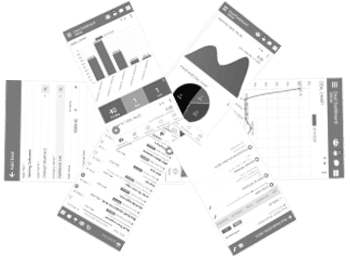
Sticker Management Mobile App
The mobile application extends the power of the sticker management system to the shop floor and warehouse. Users can:
This is particularly useful for manufacturing units and logistics operations where mobility matters. Supervisors can approve or trigger label printing without needing desktop access.


"Better Sticker Management Mobile leads to better business flow."
