Email Integration
"Keep business emails verified, secure, and fully controlled."

Secure Email Integration
Gmail & Outlook Compatible
Email Verification System
Spam Protection
SMTP Configuration
User-Level Permissions
IMAP Settings
Secure Message Routing
Modern businesses rely heavily on Email for daily coordination, approvals, alerts and customer communication. When Email runs outside your ERP, information gets scattered, follow-ups are missed and accountability becomes difficult. Email Integration within TheERPHub brings all Email communication into one controlled system, so every message stays connected to your processes, users and data.
This module allows organizations to use their own professional Email domain while sending system-generated Emails directly from the ERP. It supports popular providers and offers complete control over email configuration, access permissions and automation, helping teams maintain professionalism, security and consistency across all departments.
Email Integration Software Solutions
Email Integration ERP Tool
The Email Integration module is designed to centralize Email management within the ERP environment. Instead of relying on external tools or manual Email handling, this module allows businesses to configure and manage all outgoing and incoming Emails from a single platform.
With built-in Email management software capabilities, users can add multiple email accounts, define how each account is used and control which users can access specific Email IDs. This ensures that sensitive communications are handled only by authorized personnel, such as managers or department heads.
By integrating Email directly with ERP workflows, businesses can send notifications, alerts and reports using verified Email addresses. This improves delivery reliability, protects the organization’s Email reputation and ensures that every communication remains traceable within the system.
Features Of Our Email Integration System
Core Email Configuration
The module provides a structured Email configuration process that supports SMTP and IMAP settings. Users can securely connect their Email accounts by entering provider-specific details such as host name, port and authentication credentials. For added security, application-specific passwords can be used instead of personal login passwords.
Multiple Email IDs can be configured within the system, making it easy to separate transactional Emails, notifications and internal communication. A default Email ID can also be assigned for automated processes such as system alerts and scheduled messages.
Email Management & Control
This Email integration software gives administrators complete control over Email usage. Specific Email IDs can be restricted to selected users based on roles or responsibilities. For example, a director-level Email ID can be limited to senior management, while departmental IDs can be assigned to team leads.
All Email activity remains logged within the ERP, enabling better tracking and accountability. This structured Email management approach reduces misuse and ensures compliance with internal communication policies.
Verification & Deliverability Protection
Before an Email ID is activated for system use, it must go through a verification process. A unique verification code is sent to the configured Email address to confirm ownership and validity. Only verified Email IDs are allowed to receive automated system Emails.
This step plays an important role in preventing Email bounces and protecting the system from being flagged as spam. By verifying email addresses in advance, the ERP maintains a strong sender reputation and ensures reliable email delivery.

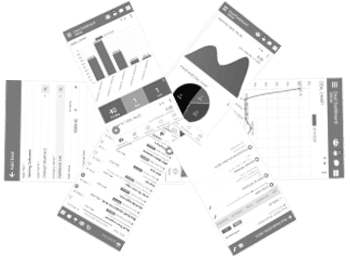
Email Integration Mobile App
TheERPHub’s mobile app ensures your email and notifications stay connected, keeping teams informed and productive even on the go. Key features include:


"Keep business emails verified, secure, and fully controlled."
