Client interface module for order and dealer management
“Smart client portals simplify orders, payments and partnerships.”

B2B Portal (Client Interface)
Dashboard Widgets
Streamlined Ordering Process
Client Portal Workflow
Smart Dashboard Analytics
Real-time Stock & Priority
Automated Status Monitoring
Financial Reports (Ledger)
A well-organized client interface plays an important role in strengthening the connection between manufacturers, distributors and dealers. A centralized client portal solves this problem by providing a secure digital space where clients can manage orders, track payments and access business information in real time.
With an advanced user management portal, businesses can create separate access for each client or dealer. Every user gets secure login credentials that allow them to view only the data relevant to them. This improves transparency while maintaining data security. Clients can log in anytime to place orders, check order status, download invoices or monitor pending payments without contacting the company’s internal team.
The client dealer management module also helps businesses handle multiple clients efficiently. From creating user accounts to monitoring order activity, everything can be managed from one centralized dashboard. This not only improves operational efficiency but also provides clients with a professional and convenient purchasing experience.
B2B Portal (Client Interface) Solutions
ERP Client Interface Module
The client dealer management module is designed to simplify how businesses interact with their clients and distributors. Instead of relying on traditional order methods, companies can provide a dedicated client interface where customers can independently manage their business activities.
Through the user management portal, administrators can create and manage multiple client accounts. Each user profile includes login credentials and defined access permissions. This ensures that clients only view information relevant to their business transactions. Businesses can also host the portal on their own domain, creating a branded experience for their partners.
Once logged into the client portal, users are greeted with a detailed dashboard that provides an overview of their business interactions. Clients can view sales performance, track outstanding payments and check the status of orders. Whether the order is pending approval, under production, or dispatched, the system provides real-time updates.
The portal also simplifies order placement. Clients can select products based on predefined pricing policies or upload bulk orders using Excel sheets. This significantly reduces manual work and speeds up the procurement process. By combining order management, financial visibility and communication into one system, the module improves collaboration between businesses and their clients.
Features of our Client Interface Module
Centralized Client Dashboard
The client portal provides a single dashboard where clients can view important information such as sales data, payment status and order activity. This dashboard ensures clients always have clear visibility of their transactions with the company.
Secure User Management
The user management portal allows administrators to create individual profiles for each client or dealer. Permissions can be customized so that users only access specific information related to their business account.
Real-Time Order Tracking
Clients can track their orders directly through the client interface. The system displays whether an order is pending, approved, rejected, under production or dispatched. This real-time visibility reduces the need for constant communication with the company.
Real Time Stock Management
With real time stock management, clients can check product availability before placing orders. This prevents order delays and ensures clients only request products that are currently available.
Bulk Order Upload
For clients who place large orders frequently, the portal allows Excel-based bulk uploads. This saves time and makes the ordering process faster and more convenient.
Custom Pricing Policies
Different clients may have different pricing structures. The portal supports customized price policies so that each client sees their applicable pricing automatically.

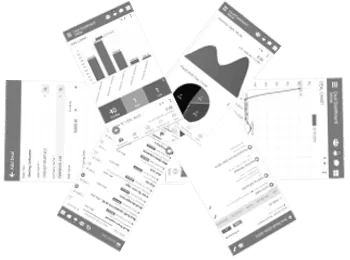
B2B Portal (Client Interface) Mobile App
The client portal is designed to stay accessible even when users are on the move. With mobile-friendly access, clients and distributors can stay connected with the business anytime and manage their operations without delays.


Reports
The client portal offers a comprehensive reporting system that allows clients to access their financial and operational documents anytime.
Clients can download sales invoices, payment receipts and ledger reports directly from the portal. These reports provide a complete overview of their financial transactions, including outstanding balances and payment history.
The system also provides dispatch summaries, allowing clients to track shipped materials and review delivery details. Order documents can be printed or downloaded whenever required, helping clients maintain organized records.
"Better Client Interface Software leads to better business flow."
